


Note: We use affiliate links to products that are of benefit to podcasters. We earn $$ for purchases made through our links at no additional cost to you… win-win.
There are a number of podcasting tools and resources that can help you to produce a great show. When I think of podcasting tools I immediately think of audio cart programs, id3 tag software, Squadcast, Riverside, Auphonic, or The Levelator. There are many other podcasting tools but I didn’t give a teleprompter much thought until recently.
If you reference blog posts, newspaper articles, or excerpts from books in your podcast then you may be interested in using a Teleprompter for your podcast. Of course, a teleprompter isn’t for everyone. Some podcasters have a natural ability to speak off the cuff. Others need to be more organized and follow detailed show notes.
What is a teleprompter?
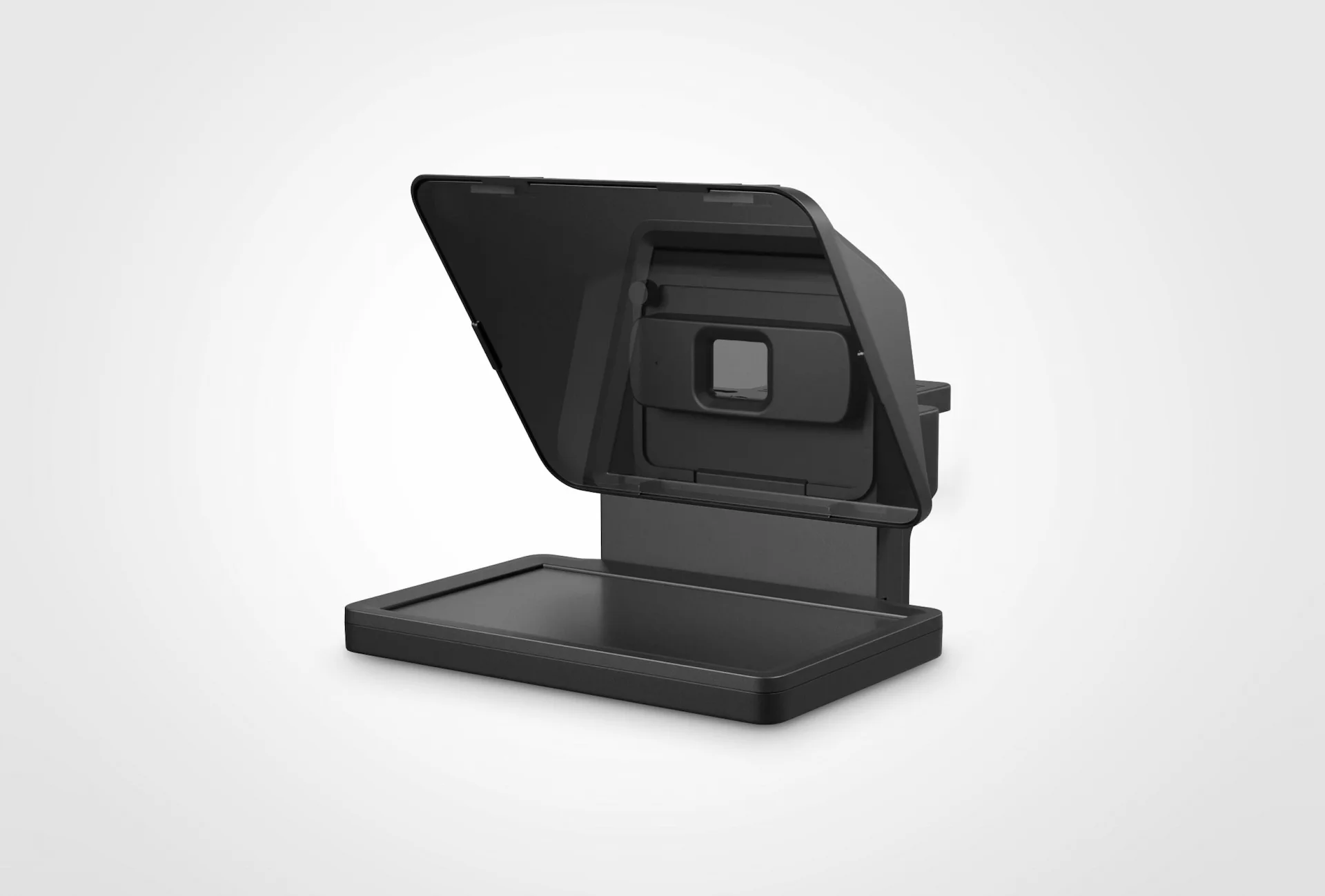
A teleprompter (also known as autocue) is a device that displays text to a speaker in a non-distracting way. Using a teleprompter replaces the need for cue cards. Because the screen is placed in front of the speaker next to (or attached to) the camera, there is no need to look down or away from the audience. A teleprompter helps to make the speaker appear to have memorized the content. Commonly used in broadcast news and live television events but is increasingly being used by YouTubers and podcasters as well.
7 uses for a teleprompter
- Audio Podcasting – make it easier to quote sources and read text on your audio show (especially if making clips for TikTok or Insta, etc).
- Video Podcasting / YouTube – keep your eyes on the camera as you read your script.
- Screen Casting – improve your screencasts using a teleprompter.
- Online Courses – your online course will be more professional if you use a prompter.
- Webinars – Do you need to read text during a webinar? This will help you keep it nice and smooth.
- Online Meetings (Another great use of a teleprompter).
- Speeches or live presentations
A teleprompter makes it easier to read the text you are quoting in your show.
When you are recording and reading from a book, webpage or show notes you may lose your place and have to re-record or edit that portion of the show. This doesn’t make your post-production job any easier. A teleprompter is especially useful when you are recording live.
Keep your eyes on the camera
A teleprompter can help with your audio production workflow but if you’re doing video podcasting or YouTube shows then a prompter is even more useful. You don’t want to be looking down while reading because you will be looking away from the camera. With a teleprompter, you will be able to keep your eyes on the camera while you are recording.
By using a teleprompter the text will scroll at the appropriate speed with nice big letters making it easy to follow and to fluidly read.
TV Studios have been using teleprompters for ages and a professional grade Teleprompter is expensive. But in the digital age, we now have a ton of options available that will do the job.
[Updated Post] Little Prompter

A cool little teleprompter that can fit on your laptop’s built-in camera, over a webcam, or with a professional DSLR / Video Camera. The Little Prompter is a great portable solution for creating professional talking head instructional and sales videos.
Another great Tele-Prompter is the Elgato Promptr.
Elgato makes great products like the Stream Deck and Key Lights but they now also have a telemprompter that has been well received in the content creation space. Definitely a good buy if you can afford it as Elgato is a premium brand.
Teleprompter Apps for your smartphone or tablet:
You don’t need to buy an actual physical Teleprompter… If you have a smart phone, tablet or a computer then you are good to go.
I have been trying several Teleprompter Apps for the iPhone and iPad and I have two that I highly recommend right now.
My first choice is BIGVU.
BIGVU is more than just a Teleprompter App. It is an APP that can automatically add custom captions to your videos and enhance the video recording using AI and filters. But it goes so much further. You can send custom video emails to people and set up video landing pages and more. It is an amazing app and I use it regularly as a teleprompter. I haven’t tried the other features yet but when I do I’ll post a full review here.
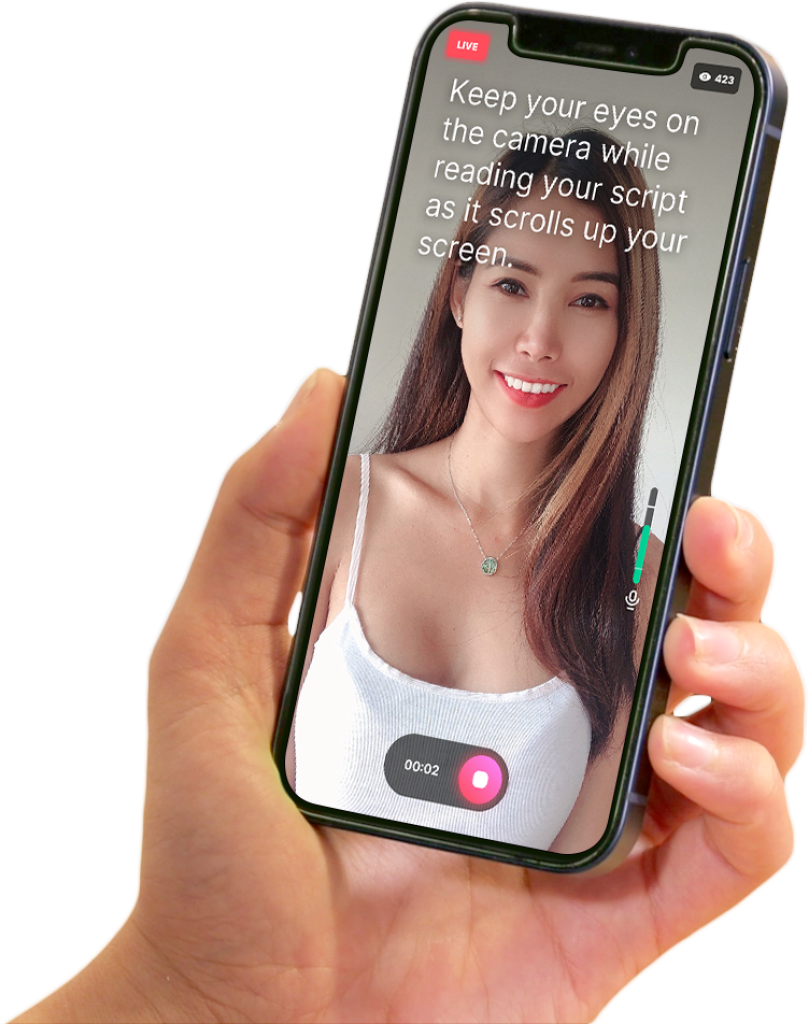
What I love about BIGVU is I can write my podcast script in the web browser on my computer and it will sync automatically to my smart phone app. Then I can record using my phone as a teleprompter by reading the screen with my eyes on the camera. Very cool.
And I can edit the video and add captions, etc back on my computer. Everything syncs beautifully.
This app is such a powerful tool that can help you not only record talking head videos but can help you professionally produce and market the videos. It is a little pricey but that is understandable given what you get for your $$$.
BIGVU Features:
- Super-easy teleprompter – read text while scrolling in your screen & record video at the same time
- – Teleprompter pro features: AI eye contact fix, change text scrolling speed on the prompter, set the exposure manually to optimize lighting, monitor audio while recording video
- – Interviews – switch between front-facing and rear cameras
- – Capture multiple takes & choose the best.
- – Vertical or portrait recording.
- – Optimize for social stories. Crop your video to square format, vertical, or landscape.
- – Add automatic captions- apply themes with elegant subtitles and your logo & colors.
- – If you recorded with a green screen background, replace the green background with any image or video loop using BIGVU chroma-key smart algorithm.
- – Add commercial-free music beds to add emotion to your narration
- – Post in one click to YouTube, Facebook, Instagram, and Twitter.
- – Export to your phone camera roll- upload your story to the BIGVU Cloud, BIGVU is accessible from the WEB, or on iOS and other Mobile devices.
The one feature that I wish it had is the ability to pause the teleprompter so the words stop scrolling but it keeps recording. If I make a mistake I have to stop the recording and start over. I’d rather be able to just scroll back and re-read the section I messed up. This is especially important if I have a longer script.
Also, sometimes I want to go off script and elaborate on a topic and there isn’t a way that I know of to scroll back in the script while the recording is live. If BIGVU fixes this one thing I will be a convert for life!
Until then… when I’m recording a podcast episode that doesn’t need the BIGVU features like the captions and AI filters then I use a different app which I am featuring next…
My second pick is TELEPROMPTR
My second pick for smartphone teleprompters is the Telepromptr App. This app is great if you want a simple Teleprompter that you can use to record yourself while looking at the camera. It doesn’t have all the extra bells and whistles that help you make great videos like BIGVU but if you want a simple teleprompter app for iPhone then this is for you!
I use this app when I want to record an audio only podcast and have a script to read. I could just read straight from a document but I’m used to using a teleprompter now and I prefer the pacing I get from using one.
With the Telepromptr app I can record the video if I want to but I can scroll the text back if I need to re-read a sentence or two. This is a key feature for me and I wish BIGVU had it too.
TELEPROMPTR FEATURES:
- Unlimited Script Length
- Mirror Text
- Adjustable Background Colour
- Adjustable Text Colour
- Import Word, .pdf, .txt and .md Documents.
- Compatible with Elgato Prompter
- Compatible with Glide Gear, Ikan, Datavideo, Autocue, Desview, Feelworld, Neewer and all other teleprompter hardware
- No Ads
- Custom Fonts
- Customisable Keyboard Control
- Game Controller Support with Customisable Controls
- Style Presets
- Clean HDMI out
- Portrait & Landscape Orientation
- Countdown timer
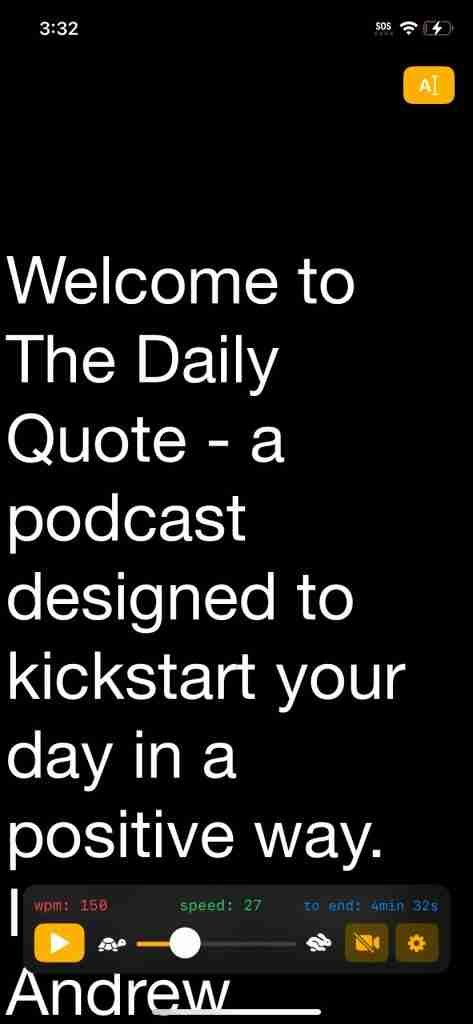
The Telepromptr app is only for iOS but if you need a Telepromptr app for Android then BIGVU will work for you. It is awesome but it you may not need all the extra feature so if you need something less expensive then on Android you could try Elegant Prompter.
I haven’t used it myself but it looks like it is a good simple telepromptr. I don’t currently use an Android device so I can’t test it out.
ELEGANT PROMPTER (for Android)
Elegant Teleprompter helps people who want to speak fluently in front of cameras. It is an autocue app that is extremely helpful for broadcasters. Can be used in presentations and public speaking. Musicians and singers can use it for reading lyrics. You can also use this application for speed reading.

And that is going to do it for Teleprompters. If you use a teleprompter for you podcast whether or not you record live, let me know in the comments or on Twitter, Threads, Instagram, etc at @podcasthero.
I’d love to hear what you are using and if you have any suggestions.

1 Response to "Podcasting with a Teleprompter"
It was a real plewsure reading this post, thanks a loot for writing it.
May I assk what platform you are using to
run
this blog? It rrally seems like a sollid piece of work, and I
am thinking about getting into writing too. Many
thanks.